
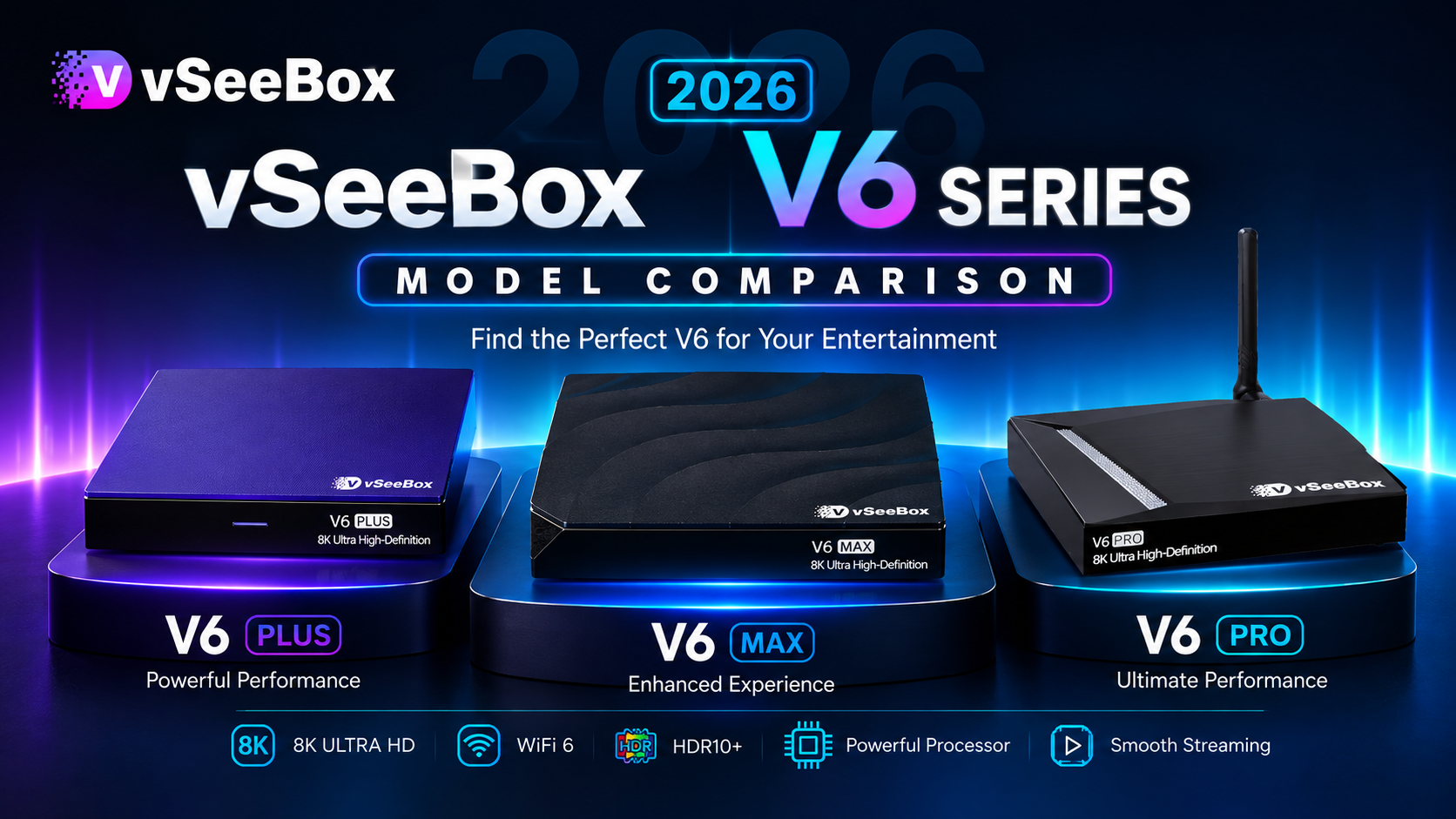
Choosing the right streaming device can be difficult, especially when one product lineup includes multiple models designed for different users.The latest 2026 vSeeBox V6 Series offers three popular models: vSeeBox V6 Plus,vSeeBox V6 Max and vSeeBox V6 Pro. So which vSeeBox V6 model should you choose in 2026?
In this guide, we compare these three models based on performance, storage, features, and real-world usage to help you decide which vSeeBox V6 model is the best choice for your needs.
Quick Recommendation: Which vSeeBox V6 Model Should You Choose?
Not sure which vSeeBox V6 model is right for you? Here is a quick recommendation:
| Best For | Recommended Model |
|---|---|
| Best Value | vSeeBox V6 Pro |
| Reliable Everyday Performance | vSeeBox V6 Max |
| Advanced Features & More Storage | vSeeBox V6 Plus |
For most users, the vSeeBox V6 Plus is the best all-around choice, while the vSeeBox V6 Pro and vSeeBox V6 Max are better suited for users with specific budgets and usage preferences.
Why Choose the vSeeBox V6 Series in 2026?
Compared with previous generations like the V5 Pro and V3 Plus, the vSeeBox V6 Series delivers meaningful upgrades across performance, software, and connectivity.For a closer look at how the new generation compares with the V5 Pro, read our in-depth guide: vSeeBox V6 Pro vs V5 Pro: Should You Upgrade in 2026?
And whether you choose the vSeeBox V6 Pro, V6 Plus, or V6 Max, every model is designed to provide a smoother and more reliable streaming experience with:
- Android 14 for improved system performance and app compatibility
- Upgraded processors for faster navigation and responsive operation
- 4GB RAM and up to 64GB storage for smooth everyday multitasking
- 8K Ultra HD support for crisp, high-quality video playback
- Wi-Fi 6 and Bluetooth 5.0 for stable wireless connectivity and better accessory compatibility
This combination of modern hardware and software makes the V6 Series a strong upgrade for both new users and those replacing older vSeeBox models.
vSeeBox V6 Series Comparison Table
| Feature | vSeeBox V6 Pro | vSeeBox V6 Plus | vSeeBox V6 Max |
|---|---|---|---|
| Operating System | Android 14 | Android 14 | Android 14 |
| RAM | 4GB | 4GB | 4GB |
| Storage | 32GB | 64GB | 64GB |
| Processor | Allwinner H618 | Amlogic S905Y5 | Amlogic S905Y4 |
| Video Support | 8K Ultra HD | 8K Ultra HD | 8K Ultra HD |
| Wi-Fi | Wi-Fi 6 | Wi-Fi 6 | Wi-Fi 6 |
| Bluetooth | Bluetooth 5.0 | Bluetooth 5.0 | Bluetooth 5.0 |
| Remote | Voice Remote | Backlit Voice Remote | Backlit Remote |
| Multitasking | Standard | Split-screen support | Standard |
| Best For | Value-focused users | Best overall experience | Stable everyday use |
Which vSeeBox V6 Model Is Right for You?
Choosing the best model depends on how you plan to use your streaming device. While all three models run Android 14 and provide a smooth entertainment experience, each one is designed for different types of users.
vSeeBox V6 Pro — Best for Budget-Conscious Users
The vSeeBox V6 Pro is a great entry-level option for users who want the latest Android 14 experience without paying for extra features.
It's a good choice if you:
- Want the most affordable V6 model
- Primarily stream movies and TV shows
- Don't need additional storage or split-screen multitasking
- Are upgrading from an older V5 Pro
vSeeBox V6 Plus — Best for Premium Features and More Storage
The vSeeBox V6 Plus offers the most balanced combination of performance and features, making it the best choice for most households.
It's ideal if you:
- Want the best overall value
- Frequently install multiple apps
- Prefer larger 64GB storage
- Appreciate premium features like the backlit voice remote and split-screen multitasking
- Want a device that stays capable for years to come
vSeeBox V6 Max — Best for Stable Everyday Streaming
The vSeeBox V6 Max focuses on reliable daily performance with a mature hardware platform.
It's a great fit if you:
- Mainly use streaming apps every day
- Want smooth and stable performance
- Prefer 64GB storage without needing advanced multitasking
- Value consistent wireless connectivity
Buy from an Official or Authorized vSeeBox Seller
Before placing your order, consider:
- Is an official or authorized vSeeBox seller?👉Where to Buy vSeeBox: The Official Guide for Safe and Authentic Purchases
- Does the purchase include warranty protection?
- Can you receive professional customer support?
- Does the seller provide genuine products?
Choosing the right seller is just as important as choosing the right model.
Next Step: Find the Right VSeeBox Setup
After choosing your model, the next important step is learning how to set up your VSeeBox correctly.
Continue reading:
- Network Troubleshooting for vSeeBox
- How to Connect Your TV Remote to vSeeBox?
- How to connect your Mini Wireless Keyboard with vSeeBox?
- vSeeBox Comparison 2026: V6 Plus vs V6 Max vs Elite Ultra
❓Frequently Asked Questions(FAQ):
Does the processor difference really matter?
The processor difference between the vSeeBox V6 Pro, V6 Plus, and V6 Max affects performance, but it may not be noticeable for everyday use. All three models offer smooth operation with Android 14 and 4GB RAM. For users who need faster multitasking and a more advanced experience, the vSeeBox V6 Plus may be the better choice.
Does the vSeeBox V6 Series support split-screen?
The vSeeBox V6 Plus supports split-screen multitasking, allowing users to manage multiple tasks more efficiently. The vSeeBox V6 Pro and vSeeBox V6 Max focus on smooth everyday performance without split-screen support.
What warranty and support does vSeeBox provide?
vSeeBox provides a 1-year warranty for its products, along with professional customer support to help customers with any questions or issues after purchase. For additional purchase protection, customers can also choose available shipping and order protection options when placing an order through our official vSeeBox store.
Should I Upgrade From an Older vSeeBox Model to the V6 Series?
Yes. Many users upgrading from older vSeeBox models notice a smoother interface, faster app response, and better overall system stability with the V6 Series. The upgrade is especially noticeable for users who use their device daily and want a more responsive experience. V5 Pro users can also check our detailed comparison: vSeeBox V6 Pro vs V5 Pro: Should You Upgrade in 2026?
For most users, the vSeeBox V6 Plus is the best all-around choice, while the vSeeBox V6 Pro and vSeeBox V6 Max are better suited for users with specific budgets and usage preferences.
Why Choose the vSeeBox V6 Series in 2026?
Compared with previous generations like the V5 Pro and V3 Plus, the vSeeBox V6 Series delivers meaningful upgrades across performance, software, and connectivity.And for a closer look at how the new generation compares with the upgraded Elite Ultra, read our in-depth guide: vSeeBox Comparison 2026: V6 Plus vs V6 Max vs Elite Ultra.
And whether you choose the vSeeBox V6 Pro, V6 Plus, or V6 Max, every model is designed to provide a smoother and more reliable streaming experience with:
- Android 14 for improved system performance and app compatibility
- Upgraded processors for faster navigation and responsive operation
- 4GB RAM and up to 64GB storage for smooth everyday multitasking
- 8K Ultra HD support for crisp, high-quality video playback
- Wi-Fi 6 and Bluetooth 5.0 for stable wireless connectivity and better accessory compatibility
This combination of modern hardware and software makes the V6 Series a strong upgrade for both new users and those replacing older vSeeBox models.