
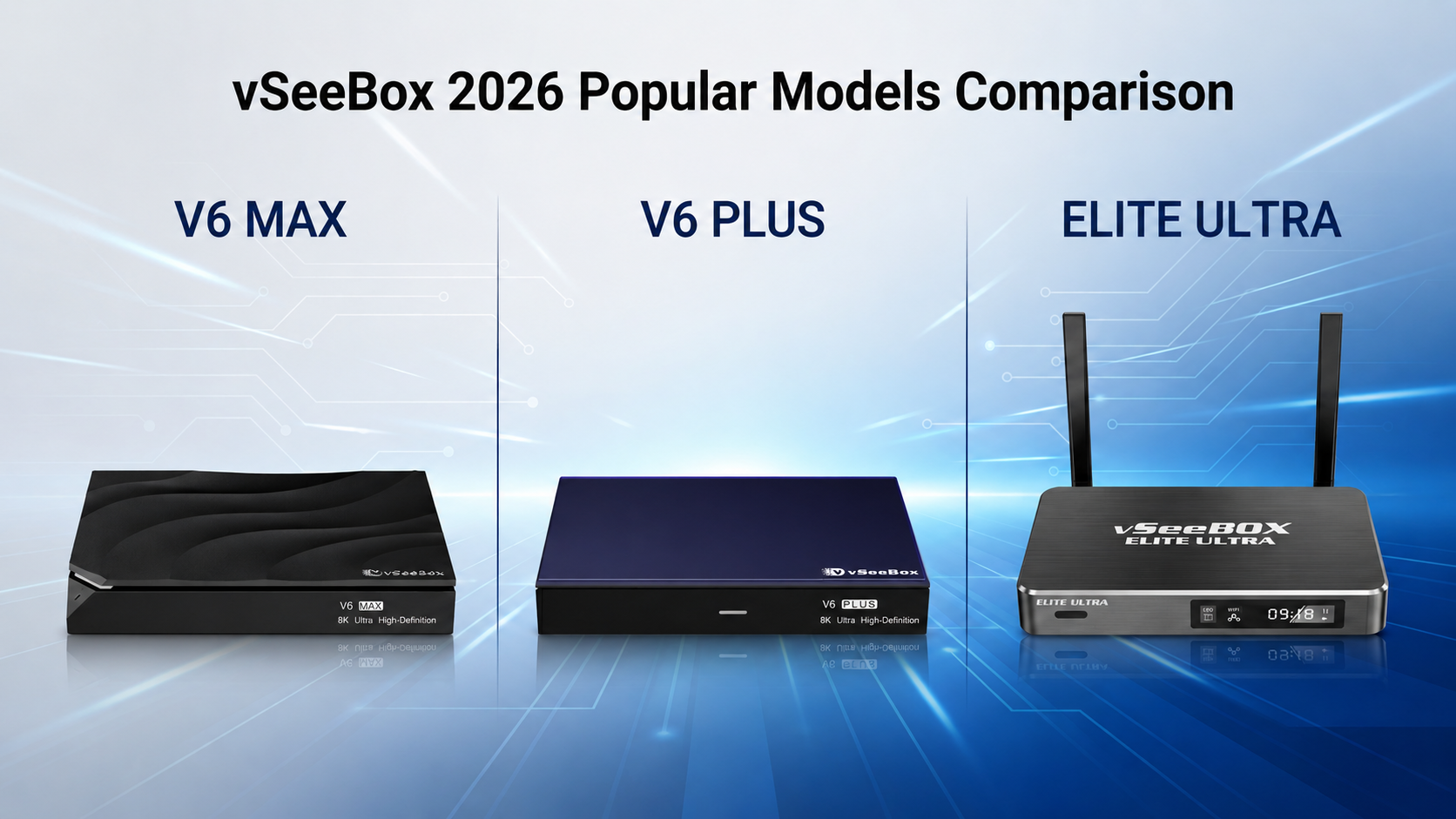
Updated for 2026 — Choosing the right Android TV box can be confusing, especially when multiple models look similar on paper. If you are searching for which vSeeBox to buy, vSeeBox series comparison, or V6 Plus vs V6 Max vs Elite Ultra this guide is written to give you a clear, honest answer.
vSeeBox is a widely popular Android streaming media player in North America, designed to deliver a more convenient and enjoyable TV-watching experience. While different models vary in hardware specifications, the true differences lie in their real-world performance and everyday usability.
In this article, we break down the vSeeBox V6 Plus, V6 Max, and Elite Ultra based on speed, app compatibility, ease of use, and long‑term value — so you can make the right choice and order with confidence.
What Most Users Care About
Before comparing models, let’s be clear about the priorities shared by most users in the U.S. and Canada:
-
Smooth streaming with no lag
-
Easy‑to‑use system for all ages
-
Stable Wi‑Fi performance
-
Good long‑term value
All three vSeeBox models can stream content, but they are built for slightly different needs.
vSeeBox Comparison chart
| Model | Android Version | Best For | Key Strength | Ideal User |
|---|---|---|---|---|
| V6 Plus | Android 14 | Overall performance | Fast, future-proof, Wi‑Fi 6 | Most users who want smooth streaming |
| V6 Max | Android 14 | Best value | Similar performance at lower cost | Budget-conscious streamers |
| Elite Ultra | Android 12 | Storage | More storage | Users who prefer convenience |
vSeeBox V6 Plus — Best Overall Choice
The V6 Plus is the most balanced and future‑ready option, making it the top recommendation for most users.
Why choose V6 Plus:
-
Runs Android 14, offering better app compatibility and longer update support
-
Fast and smooth system performance for daily streaming
-
Supports 8K video, HDR, and Wi‑Fi 6, ideal for modern home networks
-
Handles multitasking comfortably, including split‑screen use
Best for: Users who want a smooth, modern streaming experience with minimal setup and strong long‑term reliability.
vSeeBox V6 Max — Best Value Option
The V6 Max delivers a very similar experience to the V6 Plus at a more budget‑friendly price.
Why choose V6 Max:
-
Also runs Android 14
-
Excellent picture quality and stable performance
-
Ideal for users who want modern features
Best for: Price‑conscious buyers who still want fast performance and a modern Android system.
vSeeBox Elite Ultra — Your Favorite Content, Ready to Stream
The Elite Ultra focuses on convenience and storage rather than the newest system version.
Why choose Elite Ultra:
-
Larger internal storage for apps and files
-
Straightforward experience for users who prefer less setup
Things to note:
-
Runs Android 12, which is stable but older than the V6 series
Best for: Users who want more built‑in apps and storage and are less concerned about having the newest Android version.
Quick Comparison Summary
👉 Want the best overall experience? vSeeBox v6 plus
👉 Looking for the best value? vSeeBox v6 max
👉 Prefer more storage? vSeeBox Elite Ultra
Final Recommendation
If you are unsure which model to choose, the vSeeBox V6 Plus is the safest and most versatile option for most households. It offers smooth performance, modern software, and strong compatibility with today’s streaming needs.
However, if budget matters more, the V6 Max is an excellent alternative.
If convenience and storage are your priorities, the Elite Ultra may be the better fit.
No matter which model you choose, vSeeBox provides a stable and user‑friendly streaming experience designed to meet a wide range of viewing habits.Choose based on how you watch, not just the specs — and you can order with confidence.
Frequently Asked Questions (FAQ)
Is vSeeBox easy for older users or parents?
Yes. The interface is simple and remote control operation is straightforward. Many users choose vSeeBox for parents or older family members because it does not require complicated setup once configured.
Do these boxes support subtitles or closed captions?
Yes. Android‑based subtitle and closed‑caption settings are available. This is helpful for users with hearing difficulties or anyone who prefers watching content with captions enabled.
Do I need very fast internet to use vSeeBox?
A stable broadband connection is recommended. For HD and 4K streaming, most users will be fine with standard home internet. Wi‑Fi 6 on the V6 Plus and V6 Max helps maintain a stronger, more stable connection on modern routers.
Which model is the safest choice if I am unsure?
If you want to avoid hesitation, the vSeeBox V6 Plus is the safest all‑around choice due to its modern Android version, strong performance, and future‑ready features.
👉If you want to explore more details or compare specifications at your own pace, additional information is available at vseeboxus.com.